Website Design & Development
A New Domain and a Members-First Website for the North Bay Association of REALTORS®
October 9, 2026 · 10 min read · David Winters
A trade association's website is a working tool for its members. A REALTOR® checking the date of a chapter meeting, paying dues, or looking up another agent's brokerage wants the answer in a few taps, often from a phone between showings. The 2025 Association Member Experience Report from Higher Logic, which surveyed 440 association members, found that 79% want mobile access and 84% say personalization is important. Members expect the site to know who they are and to work wherever they are.
Changing a website's address is the riskiest part of any relaunch. Every bookmark, every link in an old email, and every search result points at the old domain, and each one has to land somewhere useful on the new site. Google's guidance on site moves is to keep redirects in place "for as long as possible, generally at least 1 year," and to consider keeping them indefinitely for the sake of the people who follow those links.
84%
Association members who say personalization is important
The North Bay Association of REALTORS® (NORBAR) is a Santa Rosa trade association representing more than 3,000 real estate professionals and industry affiliates across Sonoma, Napa, Mendocino, and Lake counties. Its new website went live on October 8, 2026, and it brought a change the association had wanted for some time. The old WordPress site lived at nba.realtor, and northbayrealtors.org simply forwarded there. At launch the two traded places. www.northbayrealtors.org is now the association's permanent home, and nba.realtor forwards to it.
NORBAR's planning document for the project set a clear goal: a modern, simple site where members can obviously find what they need, and where staff can post news, events, and resources without help. The association also listed what wasn't working on the old site. Its body text was too small, headings and spacing were uneven, links didn't stand out, and photos were hard to post at a consistent size. Most of the site is for members only, so it also had to recognize a signed-in member and show the right pages to the right people.
Moving to northbayrealtors.org without losing a link
A domain move works in two layers. The first is the domain itself. Every request to nba.realtor, and to the association's other old addresses such as northbayrealtors.com, now forwards to the same page path on www.northbayrealtors.org. Each forward is permanent, the kind search engines treat as a signal to update their records. The association's email stays at nba.realtor, so nobody had to change an email address.
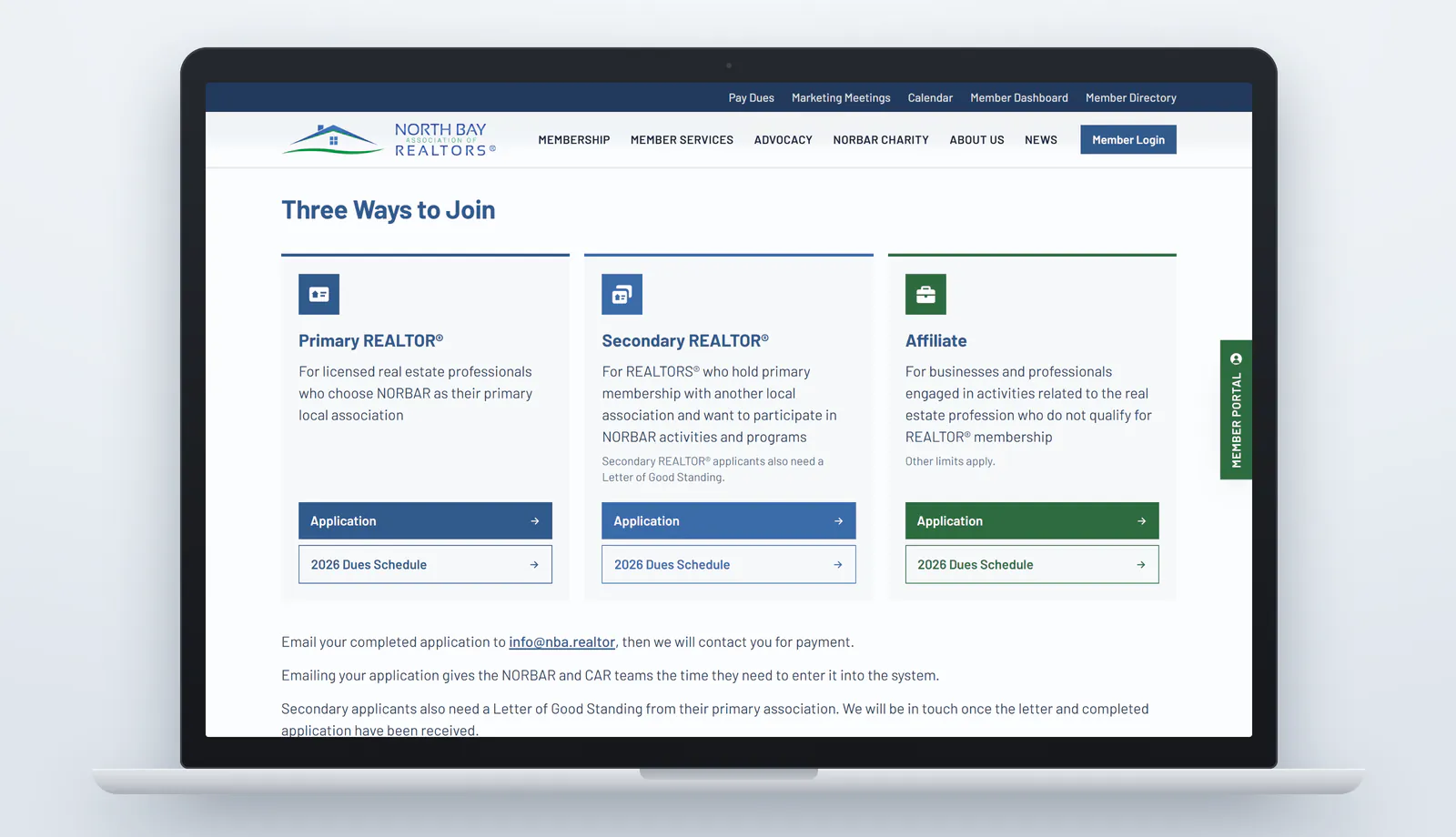
The second layer is the pages, because the new site isn't laid out the same way as the old one. Before launch, we built a list of every address the WordPress site answered. We started from its sitemaps, which listed 70 addresses, then searched the WordPress database for the ones those sitemaps left out, such as unlisted pages, empty category archives, and the feed and archive addresses WordPress answers on every site. The final list held 115 old addresses. A few, like the homepage and the Join page, kept their paths on the new site, and 102 redirect rules send the rest to the pages that now cover the same topics. An old link to a Professional Standards article opens the new Professional Standards page, and an old Advocacy news link opens the news feed filtered to Advocacy. A script requests every address on the list, through both domains and with and without WordPress's trailing slash, and reports anything that doesn't end on a working page.
Old links also lived inside the content. Some posts carried over from the old site still pointed at nba.realtor pages, so those links were rewritten to the new addresses instead of relying on redirects. The site's documents needed the same care. Dozens of PDFs, from membership applications and dues schedules to chapter meeting schedules and policies, were still stored on the old WordPress server, and every one would have stopped working when the old site went dark. They were moved into the new site's own media library before the switch.
The Broker Tour Showcase files needed their own fix. On the old site, staff replaced each chapter's weekly tour PDF in place, so a link a member bookmarked or forwarded always opened the current week's tour. The new media library keeps every upload under its own address, so each chapter now has a permanent address on the site that always opens whichever file the chapter's listing holds at that moment. A member's bookmark still opens this week's tour, and the 16 tour addresses from the old site redirect there too.
Search engines were kept away from the new site until launch day. Until a single setting was switched, every page told crawlers not to index it, so no unfinished page or test address could appear in Google ahead of time. Once the switch was flipped, the redirects and the new sitemap went live together.
A homepage built around a member's to-do list
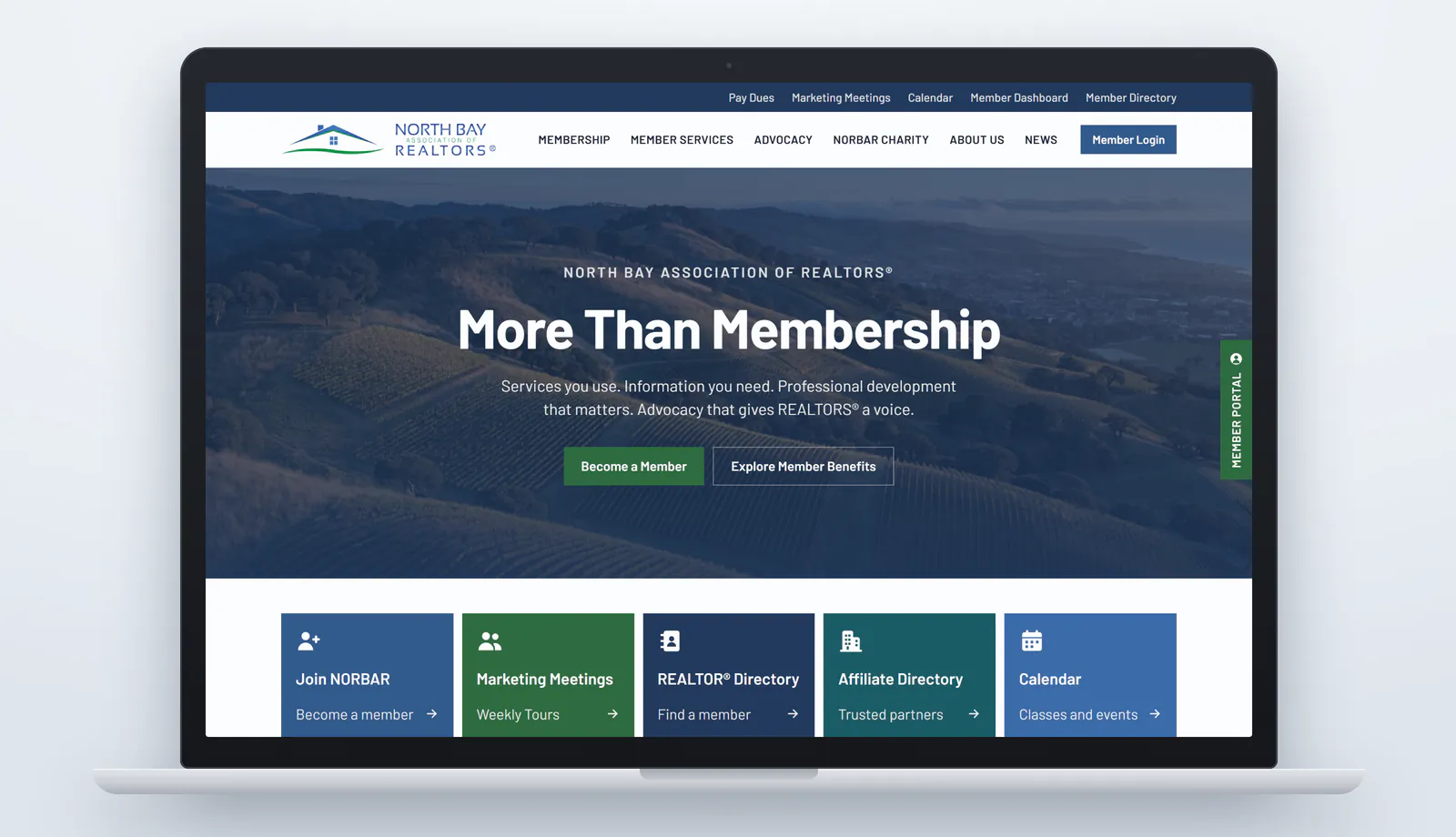
The homepage opens with the headline More Than Membership and a line that sums up what the association offers: "Services you use. Information you need. Professional development that matters. Advocacy that gives REALTORS® a voice." Two buttons serve the two audiences NORBAR planned for. Become a Member speaks to prospects, and Explore Member Benefits speaks to members, while a Member Login button in the header and a Member Portal tab on the edge of every page cover members who just want to sign in.
Above the main menu, a thin quick-links bar keeps the most-requested destinations one click away on every page: Pay Dues, Marketing Meetings, Calendar, Member Dashboard, and Member Directory. Directly below the opening image, five colored tiles repeat the tasks members ask for most, including joining, the weekly Marketing Meetings and tours, the REALTOR® and Affiliate directories, and the calendar.
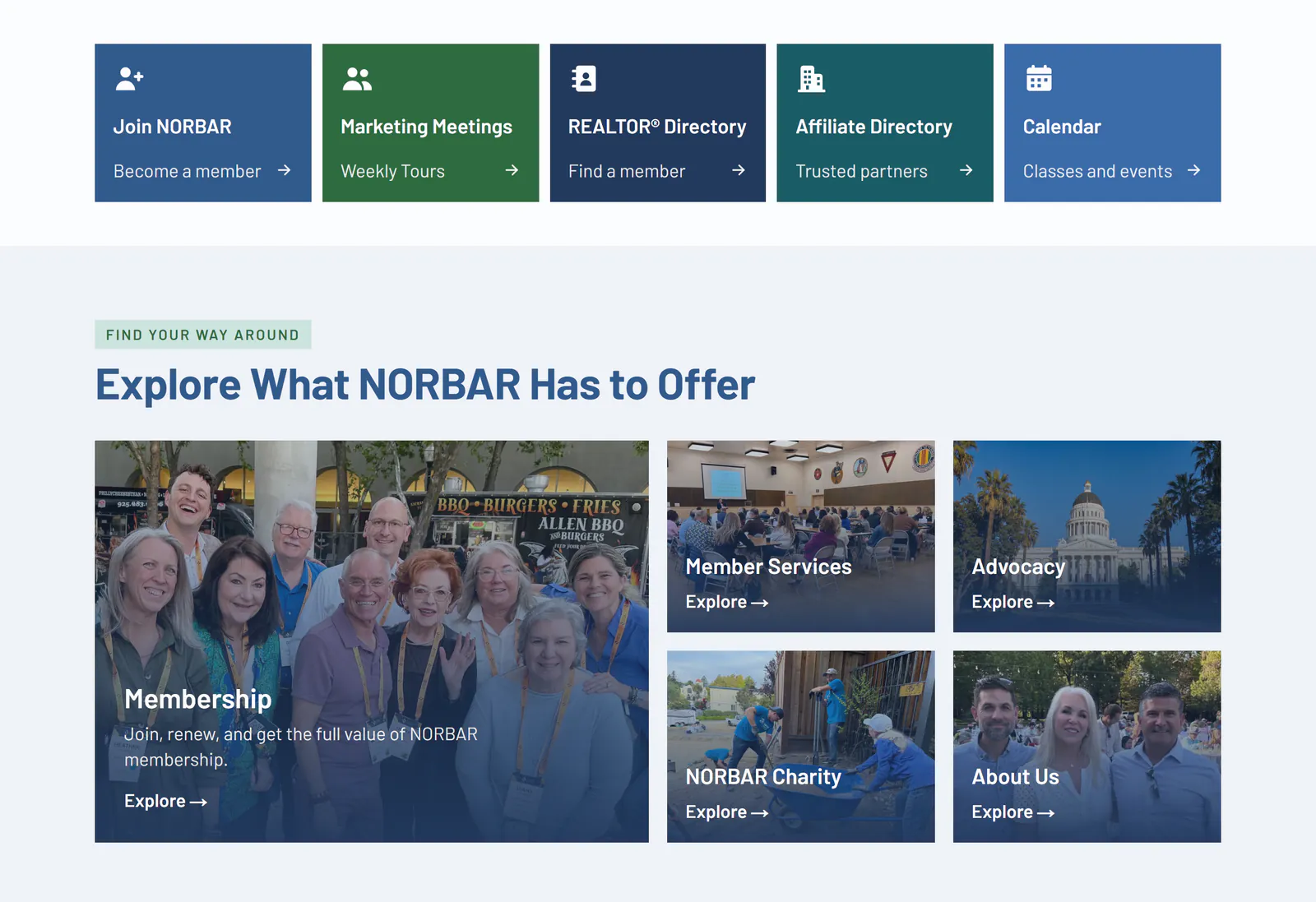
The rest of the homepage follows NORBAR's own organization. A section titled Explore What NORBAR Has to Offer gives each of the association's five main areas, Membership, Member Services, Advocacy, NORBAR Charity, and About Us, a photo card that leads to its landing page. The latest news and the next few calendar events follow, and the page closes with the association's mission, vision, and a short description of what it does. Staff can show or hide each homepage section from the editor.
Menus that show the whole section before a click
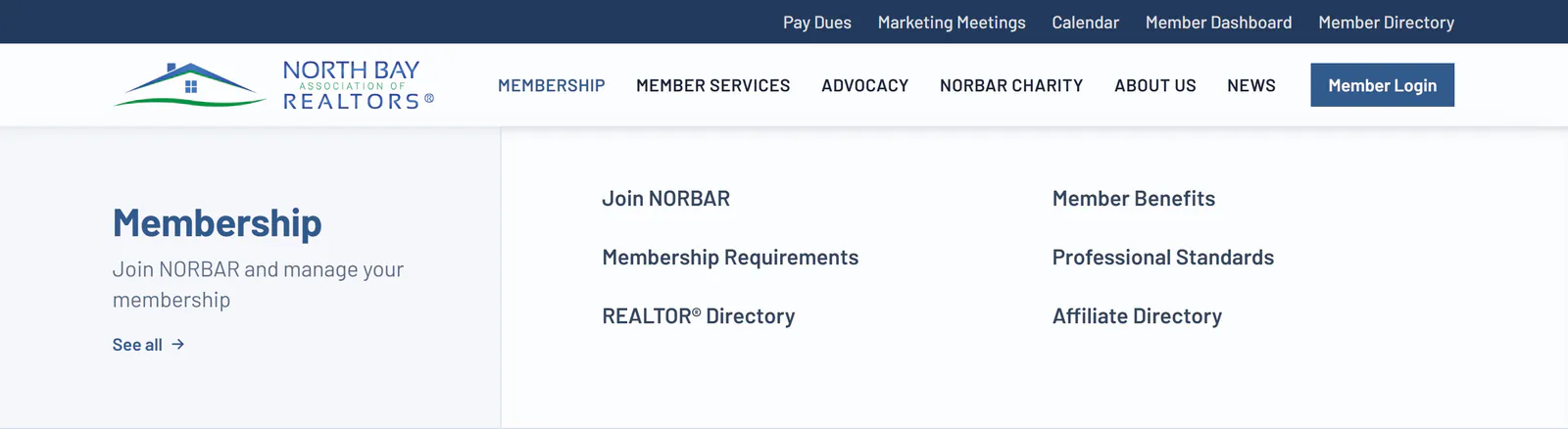
An association's site has a lot of pages, and a menu that hides them makes members guess. Each item in the main menu opens a panel that names the section, describes it in a line, and lists every page inside it in two columns. The Membership panel, for example, lists Join NORBAR, Member Benefits, Membership Requirements, Professional Standards, and both directories, and a See All link opens the Membership landing page. Every menu item has a landing page of its own, one of the requirements in NORBAR's planning document.
On a phone, the menu opens over the page as its own light blue panel. Each section expands in place to show its pages, and three full-width buttons, Pay Dues, Member Login, and Join NORBAR, sit below the links so the most common tasks are never more than a tap away.
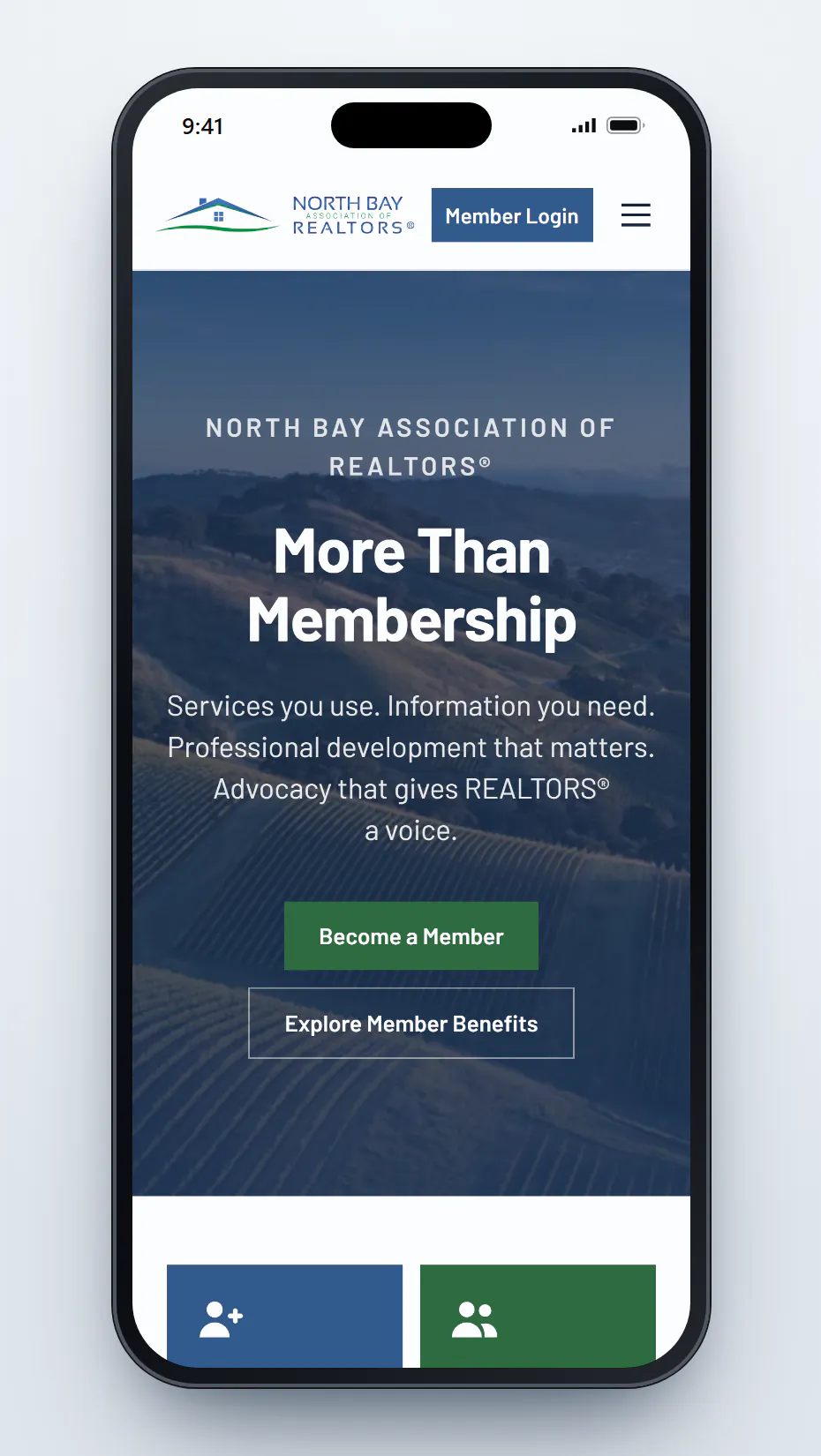 Homepage
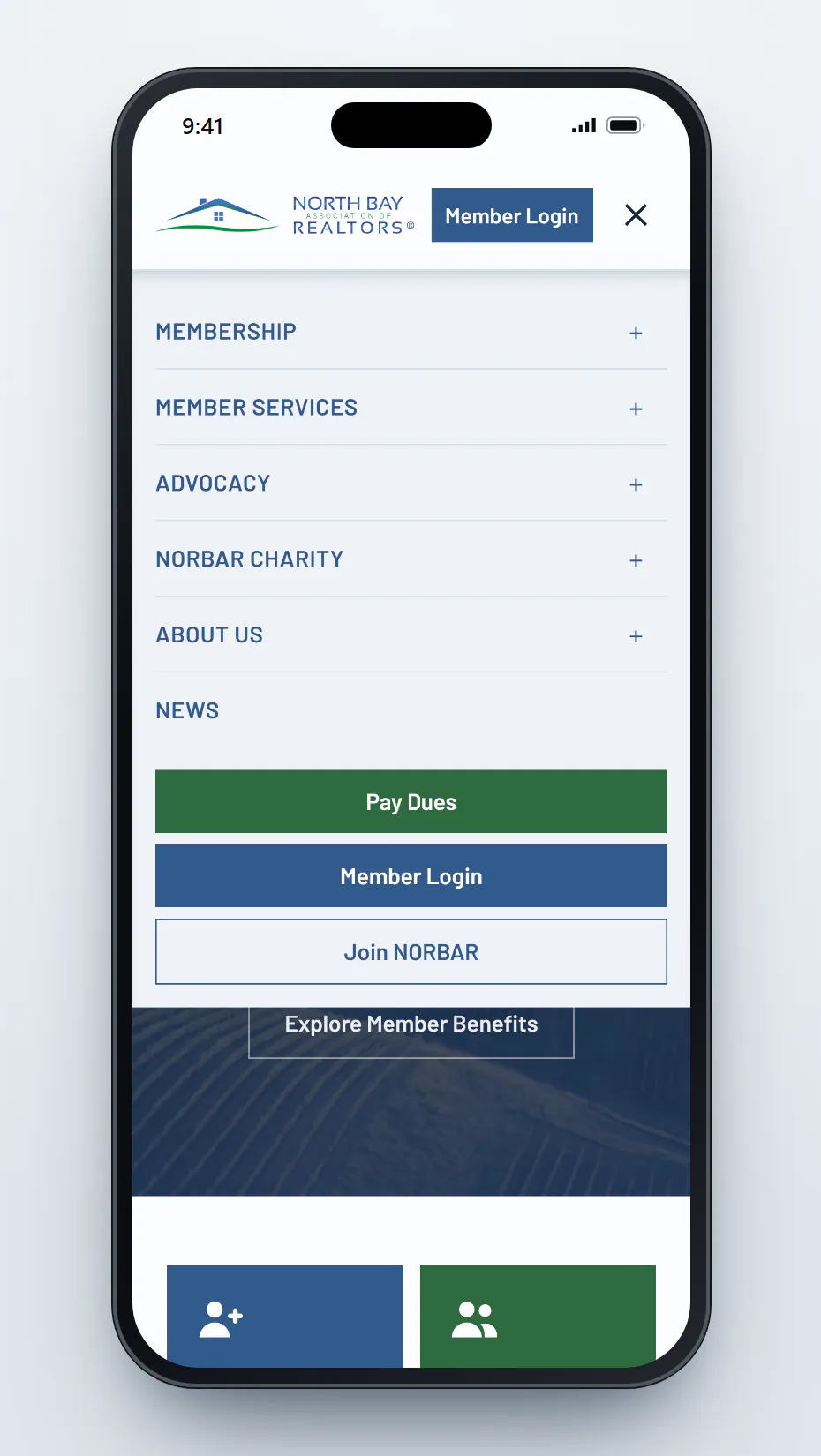 Menu
Menu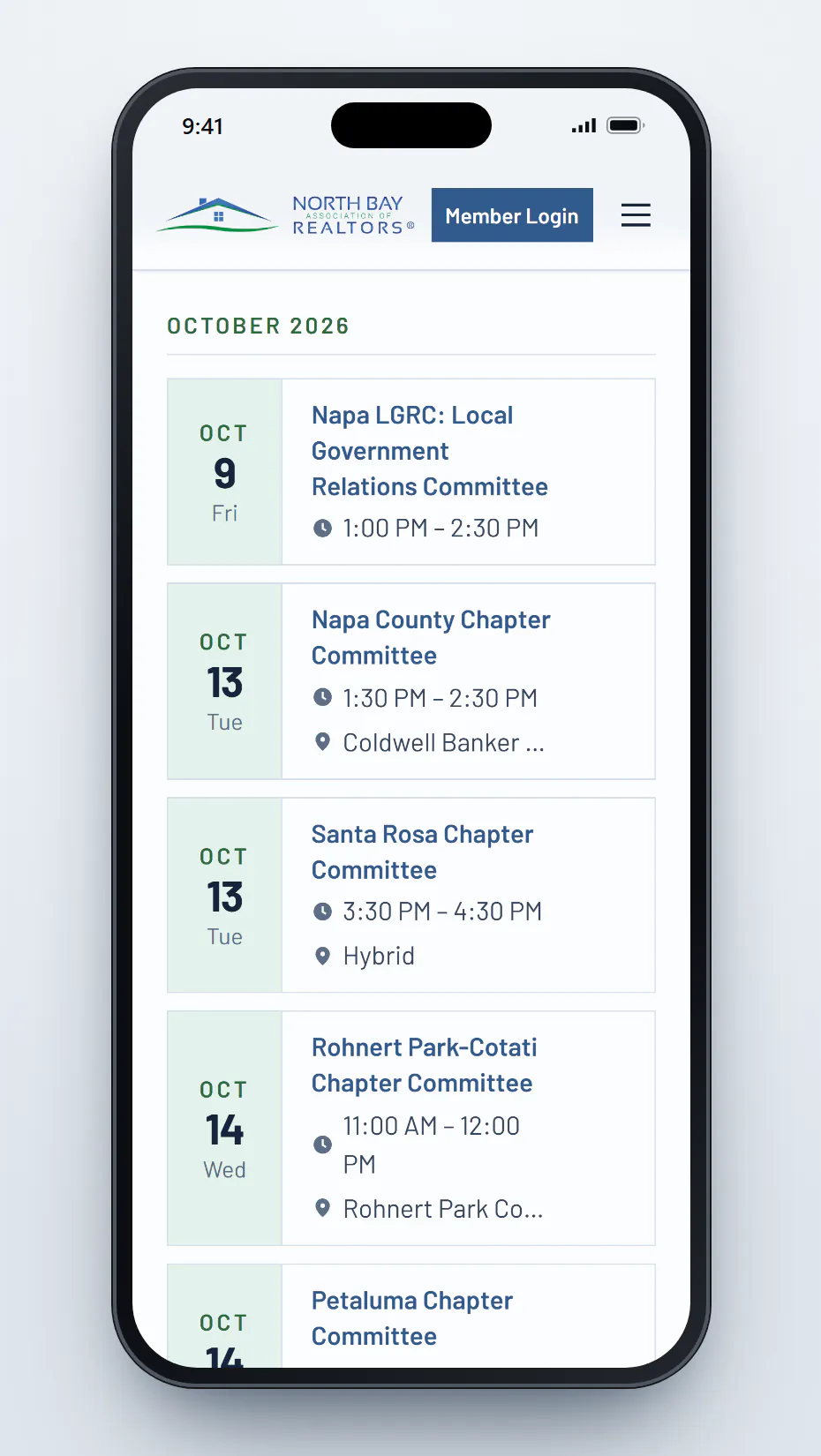 Calendar
One sign-in, and a site that knows who is a member
Most of NORBAR's site is for members only, so signing in had to be simple. Members sign in with the same account they already use for the association's member portal, the membership database where their dues and records live. There is no second password to create or forget. The Member Login button and the Member Portal tab both lead to the same place: a signed-out visitor goes to the sign-in page, and a signed-in member lands on their dashboard.
The Member Dashboard greets each member by name and brings their own information to the front. It lists the classes and events they have registered for, links to Pay Dues and Update Your Profile, and shows the upcoming events they haven't signed up for yet. When a member owes dues, a single line appears under the header on every page with a link to pay, and it disappears once the balance is cleared. It's a small reminder that's hard to miss and easy to act on.
Staff decide what is public. Each page and each page section built in the editor has a "Who sees this" setting, so the association can open a page to the public or close it to members without asking a developer. New pages and posts start out as members-only, so nothing goes public by accident. When a visitor who isn't signed in opens a members-only page, the content they can't see is left out of the page entirely, not just hidden on the screen.
Years of newsletters in one sorted feed
NORBAR sent members a weekly PDF newsletter for years, and the articles in it were hard to find once the email was gone. The new site's News & Updates section turns that archive into a feed. It now holds more than 360 posts, including 261 articles carried over from the newsletters published between January 2023 and July 2026. Staff publish new posts from the editor, and each post is tagged to a section so it appears in the right feed.
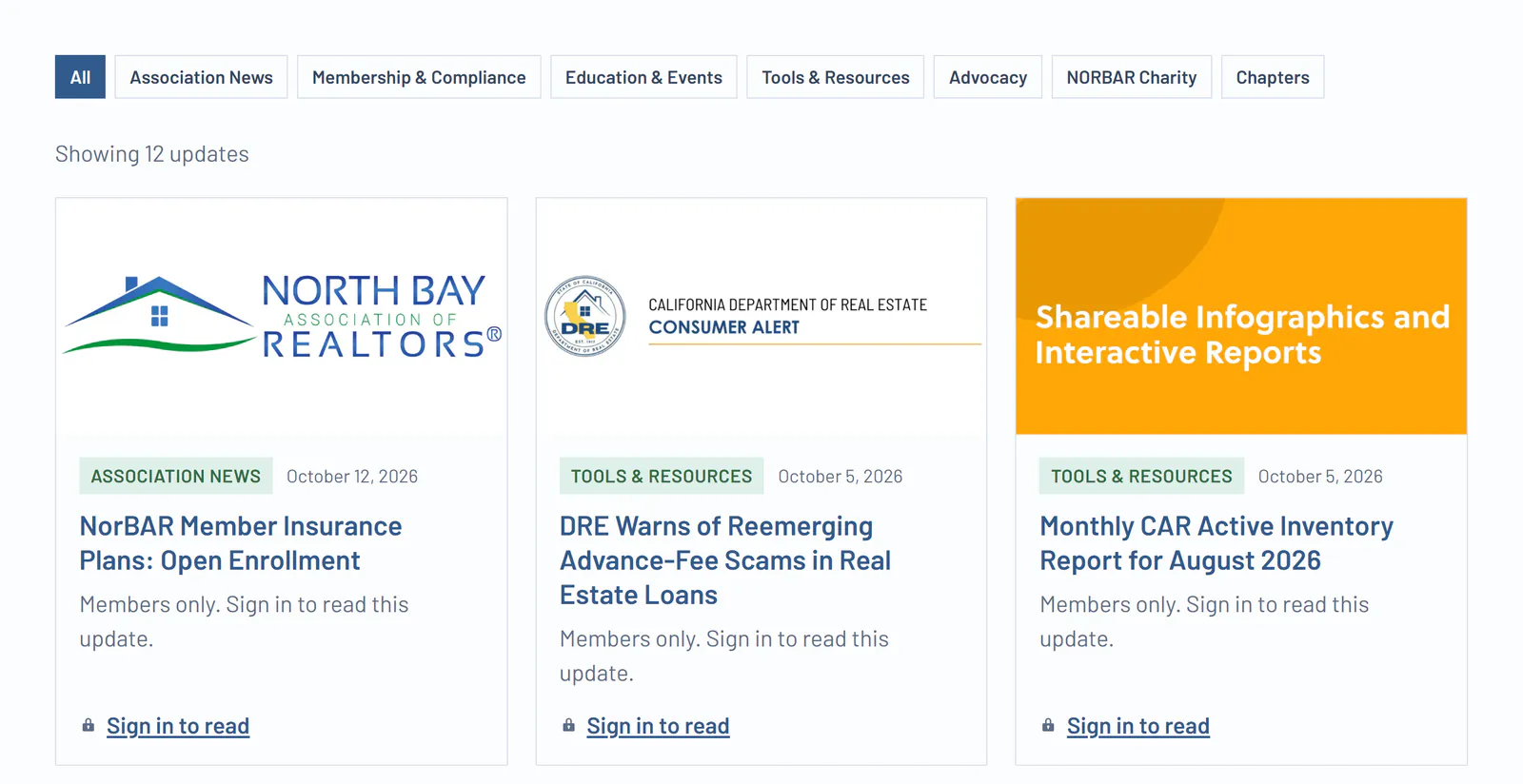
Filter buttons along the top narrow the feed to Association News, Membership & Compliance, Education & Events, Tools & Resources, Advocacy, NORBAR Charity, or Chapters. Members-only posts still appear in the feed with their title, date, and image, plus a link to sign in, so a visitor browsing the site can see how much members get. Public posts, like the NORBAR Charity scholarship announcements, can be read by anyone and shared freely.
A calendar that keeps itself current
Committee meetings, chapter meetings, and classes are scheduled in the association's membership database, and the website reads them from there instead of asking staff to enter each event twice. The calendar checks for changes every 10 minutes, so a meeting added or moved in the database shows up on the website shortly after. Events are grouped by month, each with its date, time, and location, and each opens to a page of its own.
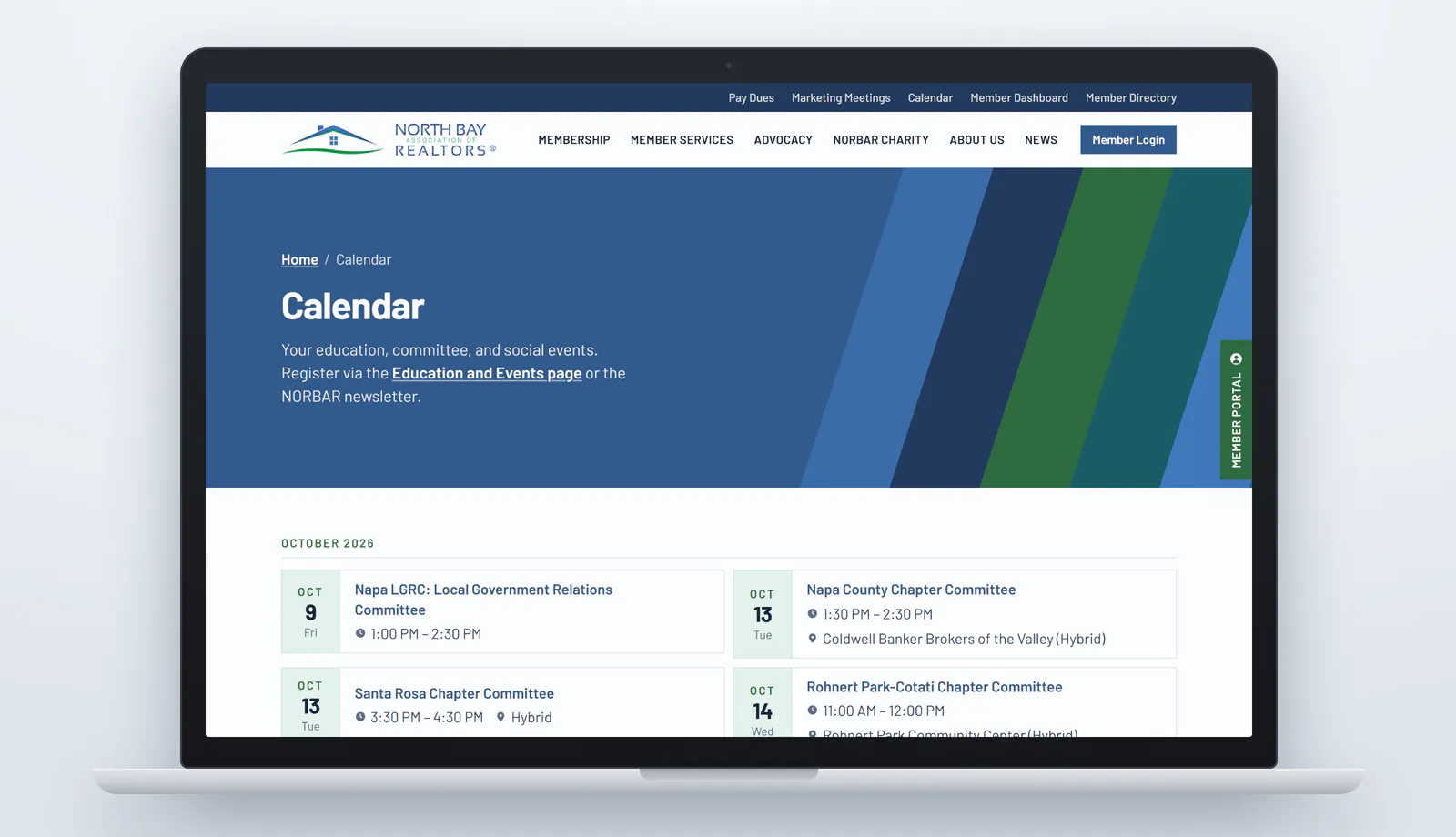
The calendar, the homepage's What's Coming Up section, and each member's dashboard all read from the same source, so they always agree. Event times are shown in the association's own Pacific time zone, which matters more than it sounds. Web servers usually run on universal time, and a calendar that doesn't account for that can show every meeting hours off from when it actually starts. Each event also carries structured data, labels in the code that tell search engines the event's name, date, and location.
Easier to read, and easier to keep up to date
The design answers each problem on NORBAR's list. Body text starts at 18 pixels and runs larger on desktop screens, where the association found the old site hardest to read. Headings and body text share one typeface, Barlow, and the spacing under headings and lists is tight and consistent. Links are blue, underlined, and bold enough to spot, and they keep the same color after a visit instead of turning purple. Bullets are small green squares that echo the green in the logo. The deep blue of the logo frames the header and footer, and the logo's green marks the main buttons, so the color that asks for a click is easy to spot.
Behind the site, staff work in NORBAR Studio, a sign-in screen and hub that collects everything editors use: news posts, pages, the Marketing Meetings listings, the media library, user accounts, and a set of step-by-step help guides written for the association's staff. An editor who forgets a password can reset it by email.
The site also asks before it tracks. A cookie banner lets each visitor accept or reject analytics, and Google's analytics tools load only after someone agrees. Every page carries its own title, description, and preview image for search results and link shares, and the association is described to search engines as an organization with its office location.
What other associations can take from NORBAR's site
Treat a domain change as a project of its own. List every address the old site answers, not just the ones in its sitemap, and send each one to the page that covers the same topic. Move documents off the old server before it shuts down, fix old links inside your own content instead of leaving them to redirects, and test the full list once the new domain is live. Then keep those redirects in place for the long run.
Build the site around what members come to do. Pay Dues, the calendar, the directories, and sign-in belong on every page, one click away. One sign-in tied to the membership database lets the site greet each member, show what they've registered for, and remind them about dues, and it spares staff from keeping two lists in sync.
Finally, let staff run it. A setting that opens or closes a page to the public, a news feed that sorts itself by section, and a calendar that reads from the membership database keep the site current without a developer in the loop. For the North Bay Association of REALTORS®, that means a website at a permanent address that members can find their way around and staff can keep up to date.
The North Bay Association of REALTORS® website is live at northbayrealtors.org. Built by MPC Studios.
Planning a new website or a domain change for your association? Let's talk.
Let's work together
Ready to take your
business further?
Tell us about your project and let's create something extraordinary together.