Website Design & Development
Six Departments, One Menu: Inside the New McAllen Chamber of Commerce Website
January 23, 2023 · 6 min read · MPC Studios
A chamber of commerce website serves more people than almost any other site in town. On a single morning, a business owner might be checking whether membership is worth the dues, a member might be looking up another member's phone number, a company weighing a move to the city might want data on the local workforce, and someone else might just want to know what's happening this weekend. Each of them arrives with a different question, and each expects to find the answer without calling the front desk.
A site with that many audiences has a lot of pages, and the menu decides whether visitors can find them. The Nielsen Norman Group, which studies how people use websites, has found that mega menus work well for site navigation on sites with many options. These large drop-down panels show a whole section at a glance, so visitors can see and compare every choice at once.
The McAllen Chamber of Commerce helps local businesses grow through economic development, membership programs, public policy work, and tourism, and it keeps the community up to date on business news and events. When we planned the new website, we set three priorities in order: a site that loads quickly, a site where people can find things easily, and a site that tracks whether visitors take the actions the Chamber cares about. The new site launched this week.
A menu that explains each part of the Chamber
The Chamber's work falls into six areas, and the main menu follows them: Economic Development, Membership, Public Policy, Tourism, News & Events, and About. Hovering over any of them opens a full-width blue panel. Each panel names the section and explains in a sentence what that part of the Chamber does, lists its pages, and offers Join the Chamber and Contact Us links beside the Chamber's address and phone numbers.
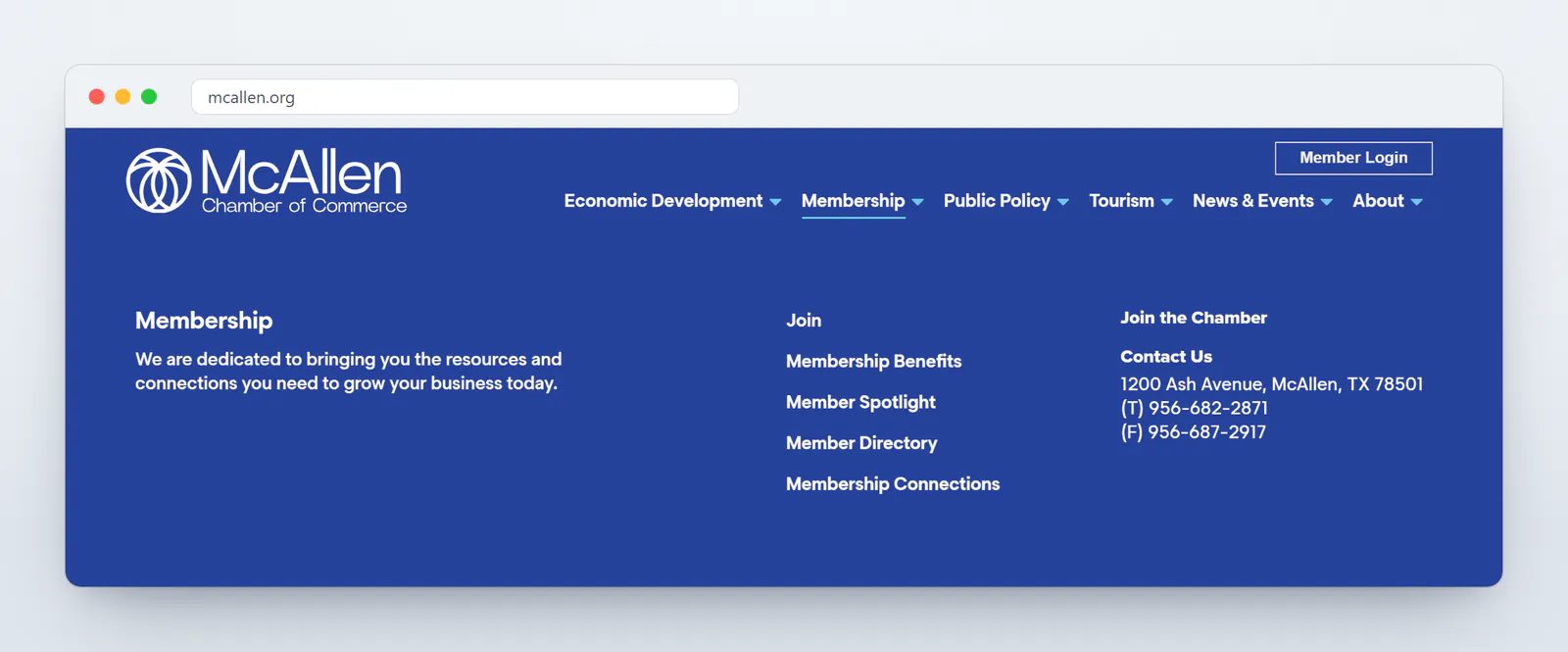
That short description does a lot of work. A visitor who isn't sure where a page lives can read six one-line summaries and pick the right section, and a prospective member learns what the Chamber does just by moving the mouse across the menu. The Join the Chamber link in every panel keeps the site's most important action one click away from anywhere on the site.
At the Chamber's request, the first four menu sections follow the same order as the four departments on the homepage, and each panel's description uses the same words as the homepage. A visitor sees the Chamber described the same way everywhere they look. A Member Login button sits above the menu on every page, so current members can go straight to their account.
A homepage organized around what the Chamber does
The homepage opens with a slideshow of Chamber members at ribbon cuttings and networking events, behind the line "Leading the Region" and a single button to join. Below it, a section titled What We Do introduces the Chamber's four departments with line icons in four colors: gold for Economic Development, coral for Membership, light blue for Public Policy, and green for Tourism. Each one has a sentence about the department's work and a link to its landing page.
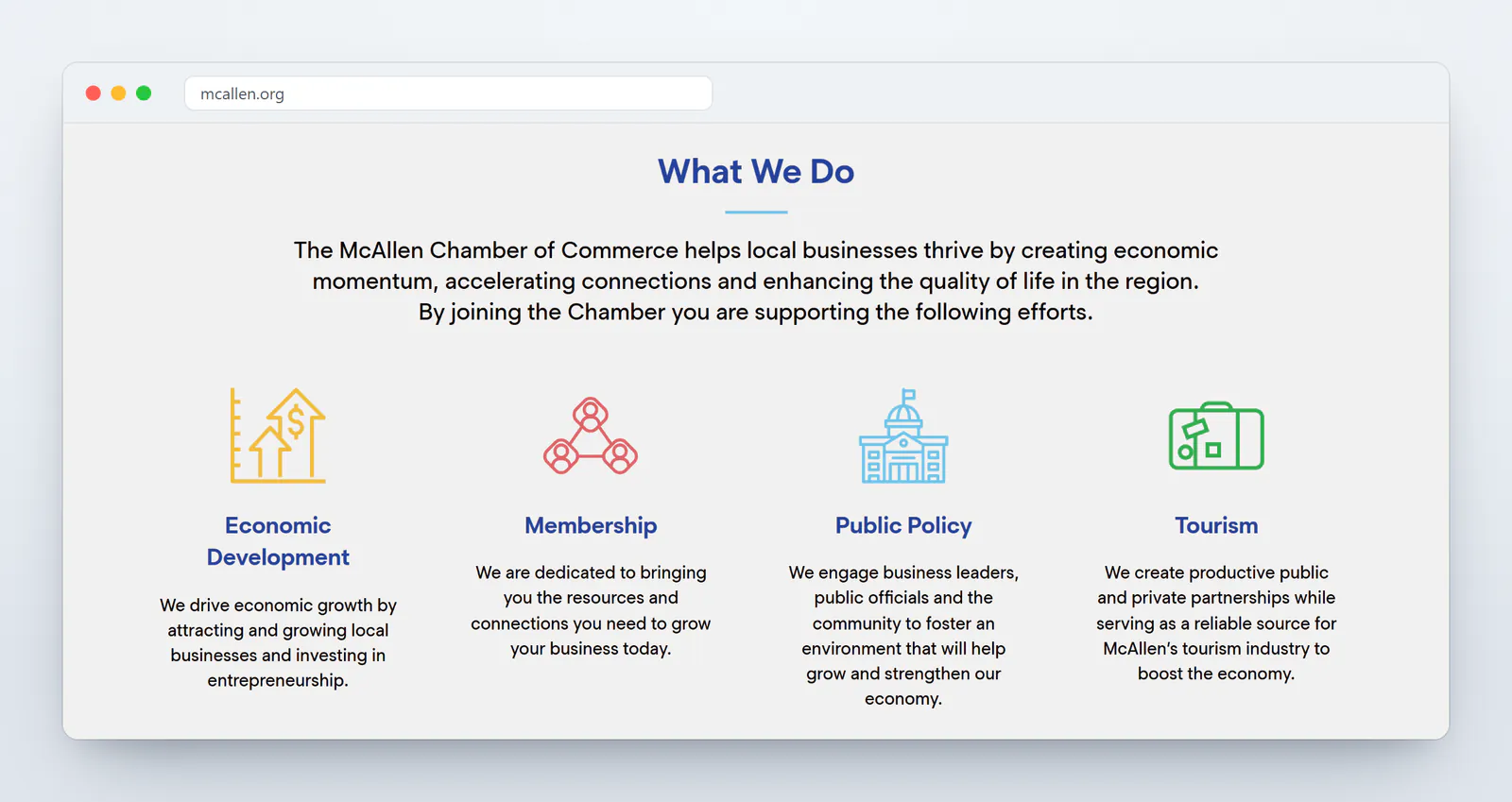
The colors carry through the rest of the homepage. The Membership Connections section uses the coral of the Membership department for its icons, and the Member Spotlight that follows sits on a coral panel. Color helps visitors connect each section of the page to the department behind it.
News and events that stay current
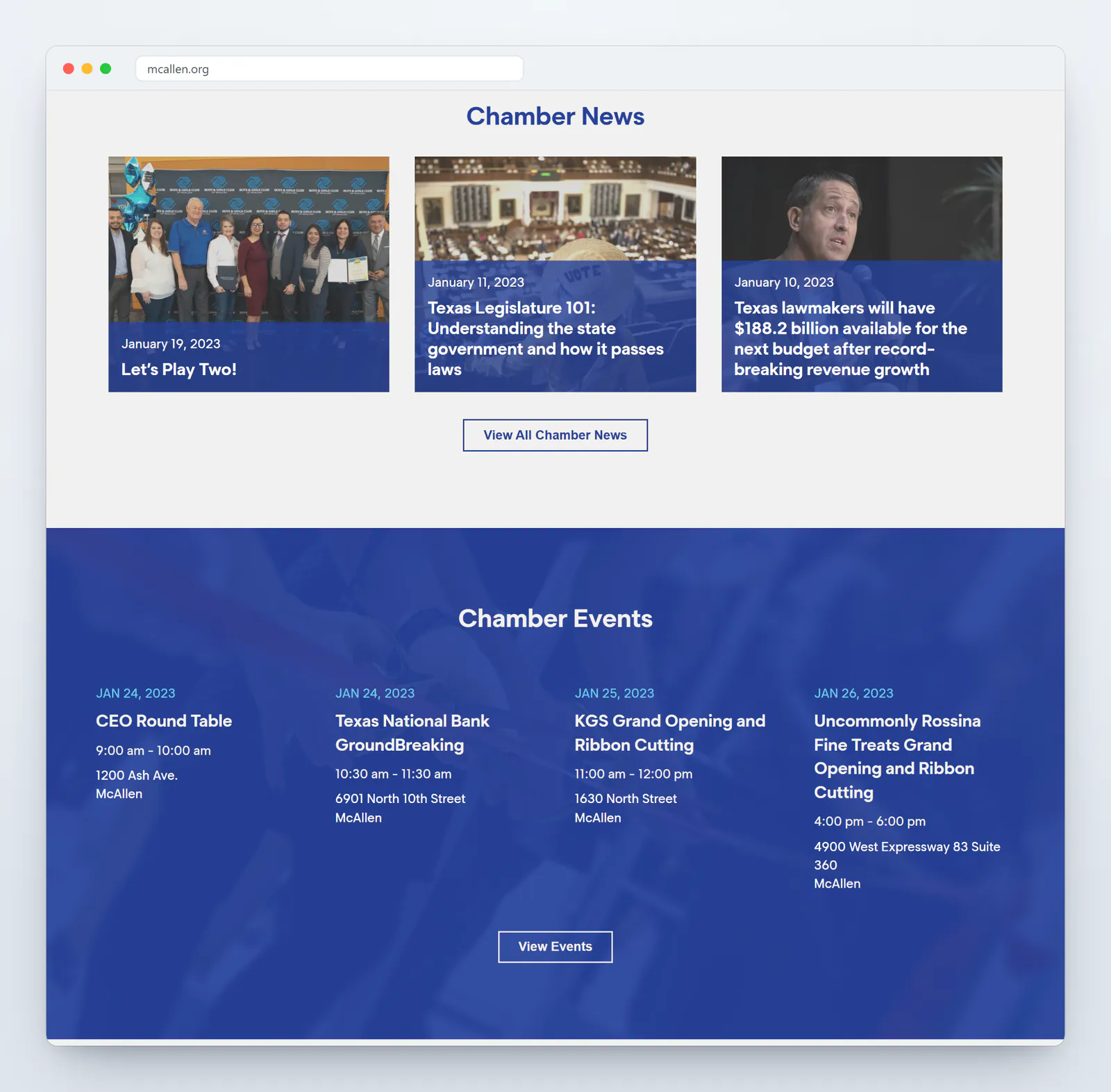
A chamber's homepage has to change as often as its calendar does. The Chamber News section shows the three most recent stories from the Chamber's newsroom, each on a blue card with its date and headline. When a story has no photo, the card fills with Chamber blue and the white Chamber logo, so the row always looks complete, and the staff can post a news item without hunting for an image.
Below the news, a blue band lists the next four Chamber events with their dates, times, and locations, from ribbon cuttings to the CEO Round Table, and a View Events button leads to the full calendar. These sections update themselves as the staff adds news and events, so the homepage stays current without anyone redesigning it.
Paths to the member tools people use most
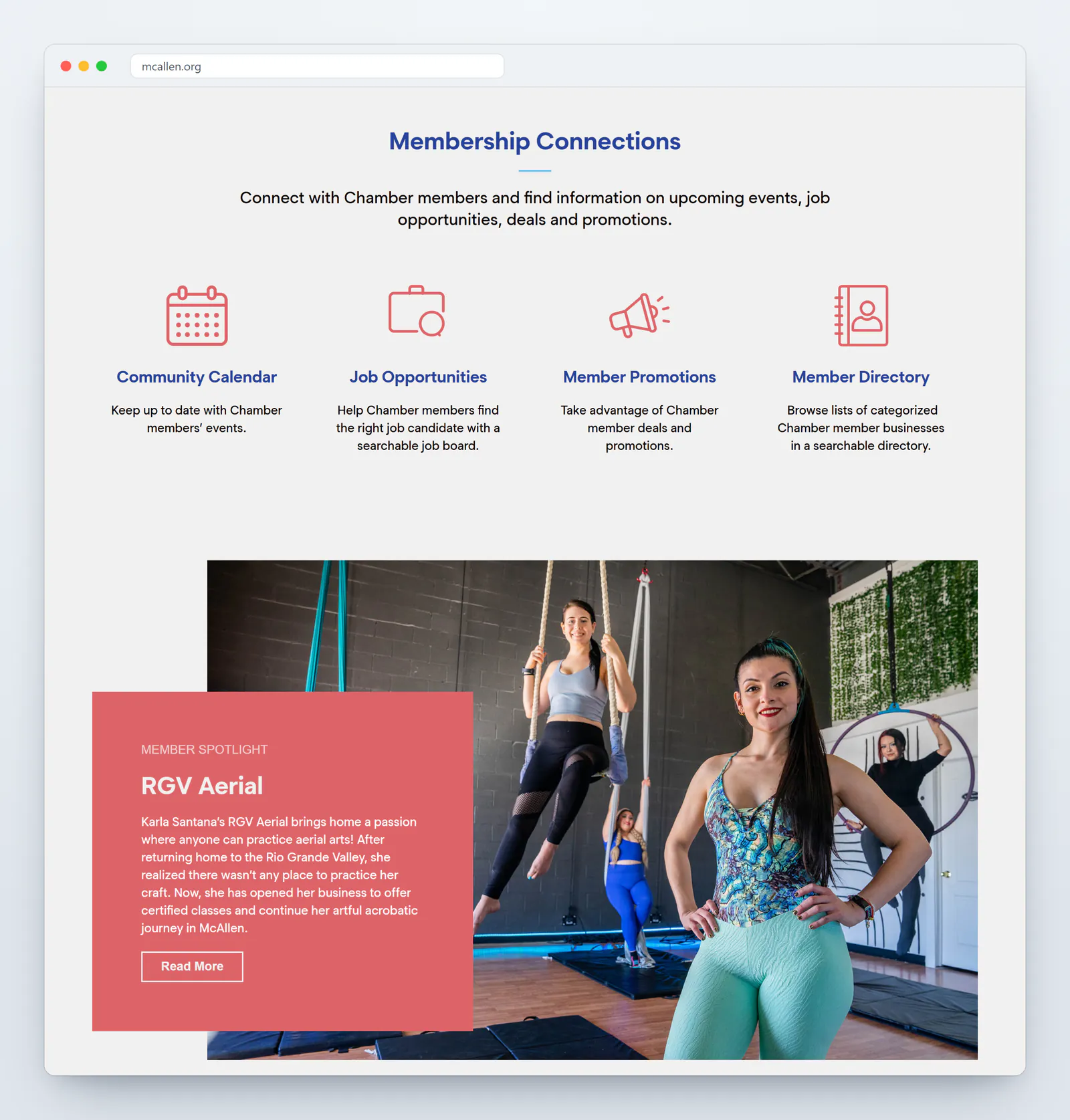
Much of a chamber's day-to-day value happens in its member tools, and the homepage gives them their own section. Membership Connections links to four of them: a community calendar of members' events, a job board where members post openings, member deals and promotions, and a searchable member directory organized by category. Each one connects to the member management system the Chamber already uses, so the staff keeps updating information in one place and the website always shows the current version.
The homepage also makes room for the members themselves. The Member Spotlight tells the story of a member business, starting at launch with RGV Aerial, an aerial arts studio that Karla Santana opened in McAllen after returning home to the Rio Grande Valley. Below it, a Vision Partners section recognizes the Chamber's leading partners, starting with the City of McAllen, and a newsletter band invites visitors to subscribe.
Pages for every audience the Chamber serves
Each department has its own landing page and its own set of pages behind it. Economic Development covers McAllen's business climate, a community profile, key industries, the Chamber's programs, and a market analysis tool. Public Policy covers McAllen Day in Austin, the Chamber's legislative trip to the Texas Capitol, along with the issues the Chamber advocates on and contact information for the city's representatives at the local, state, and federal levels. Tourism points visitors to things to see and do, hotels, and sports in McAllen.
The About section speaks to members and the public alike. It introduces the staff and the board of directors, tells the Chamber's history, answers common questions, and includes a Transparency page with meeting agendas. Visitors can write to a board member through a form on the board page, which delivers the message without publishing anyone's email address.
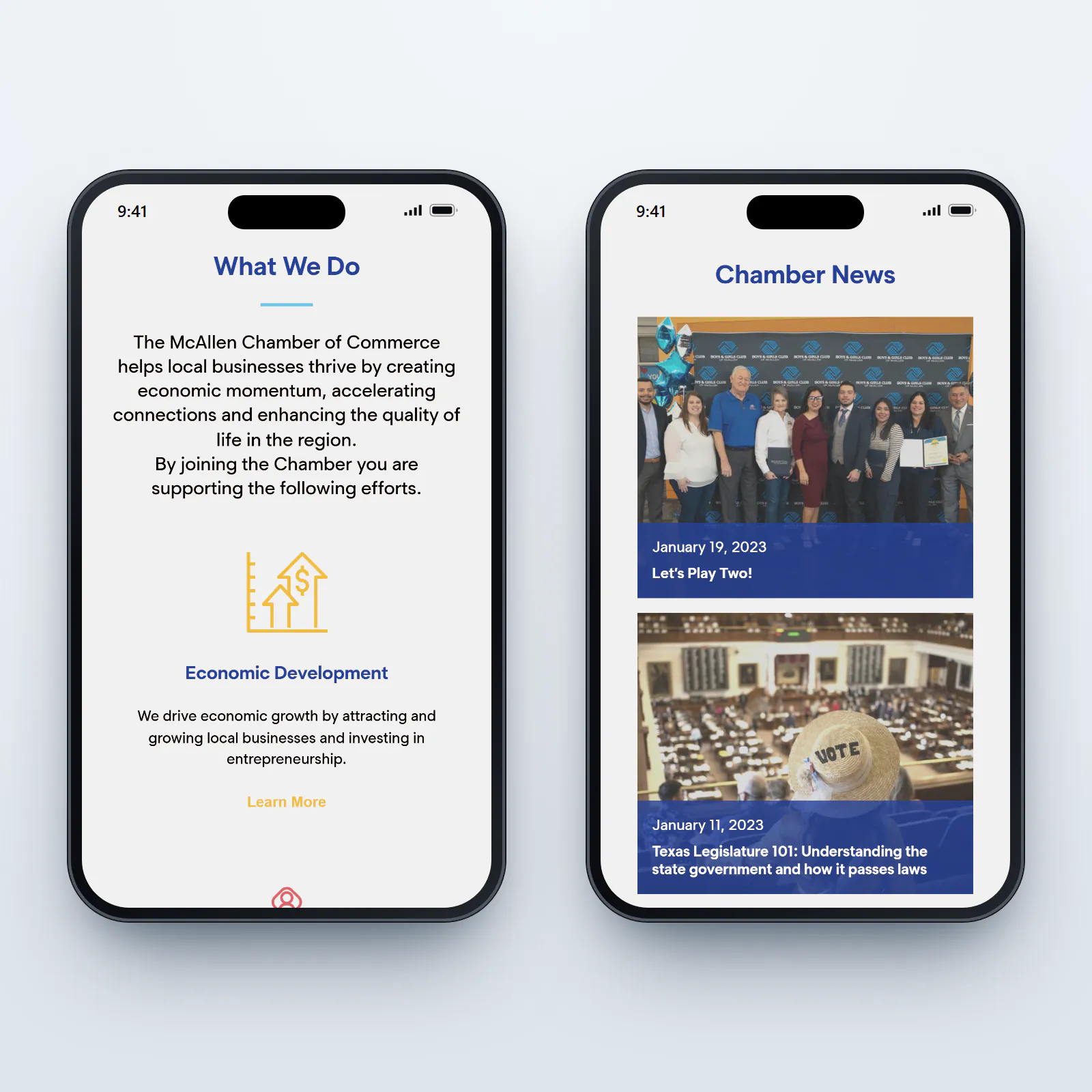
On a phone, the six sections fold into a single menu button, and the homepage stacks into one column in the same order as the desktop version, so a member checking the event calendar from a ribbon cutting finds it in the same place every time.
What other chambers and member organizations can take from this site
A chamber's website has to explain the organization to people who don't know it yet and serve the members who already do. The McAllen Chamber's site handles both by organizing everything around the Chamber's own areas of work and describing each one in a sentence, in the menu and on the homepage alike. A visitor learns what the Chamber does while finding their way around.
The other lesson is to let the website update itself wherever it can. News, events, and member tools that pull from the systems the staff already uses keep the homepage current week after week, and they free the Chamber's team to spend more of its time on members.
The McAllen Chamber of Commerce's website is live at mcallenchamber.com. Built by MPC Studios.
Working on a website for a chamber of commerce or member organization? Let's talk.
Let's work together
Ready to take your
business further?
Tell us about your project and let's create something extraordinary together.